 Rank Forge Marketing
Bounce House Rental Marketing: How to Get More Bookings
The short answer
Bounce house rental marketing works when local visibility, safety trust, and fast availability checking operate as one system. Help parents and event planners find the right unit for their party, prove that setup is clean and safe, make checking a date effortless, and confirm the booking before the weekend fills up. Photos build interest; a strong Google presence and booking process turn that interest into paid, confirmed rentals.
Market the party the parent is imagining
Most parents are not comparing PVC gauge or blower horsepower. They are picturing a stress-free birthday party, a school carnival that keeps kids entertained for hours, a backyard graduation party, or a neighborhood event where the bounce house is the thing guests remember. Lead with the occasion and the experience—not a spec sheet.
Group your inventory by what a customer is actually searching for: character and theme units, water slides, obstacle courses, combo units, adult-size or corporate units, and full party packages with tables, chairs, and concessions. Explain age ranges, space and power requirements, and what makes each option a good fit.
A clear category message improves both search relevance and the first booking conversation. It also helps a parent quickly confirm the unit will fit their yard, driveway, or venue before they request a date.
Own your local presence on Google
A bounce house rental business delivers to the customer's location, so Google typically treats it as a service-area business when there is no public storefront customers visit. Use one accurate Google Business Profile, hide a home or warehouse address that customers do not visit, and list only the cities or zip codes you can deliver to reliably on a busy Saturday.
Complete the profile with the correct primary category, delivery area, current photos, working phone number, and recent reviews. Do not create duplicate profiles for every suburb in your delivery radius—Google requires genuine eligible locations, and a suspended profile can remove a major source of weekend bookings during peak season.
Our guide to service-area business local SEO covers profile eligibility and territory planning in more depth. The goal is strong visibility across the area your trucks can deliver to and set up on time, not the widest possible map.
Build category pages for high-intent searches
A single homepage labeled "bounce house rentals" asks Google and the parent to infer too much. Create a dedicated page for each category that drives real search demand: water slide rentals, character-themed bounce houses, obstacle course rentals, and full party packages. A water slide page can address space needed, water source requirements, and weather policies. A school-event page can cover liability, staffing, and volume discounts.
Each page should include the unit types included, ideal age range and party size, space and power requirements, safety and cleaning practices, pricing, real photos, delivery area, FAQs, and a direct booking or quote action. Link related categories together so a parent planning a themed party can easily add a matching bounce unit and tables package.
Straightforward small-business web design keeps this information easy to browse on a phone, since many parents book rentals during a quick search while planning between other errands.
Make checking availability and booking effortless
Popular weekend dates get booked quickly, especially in spring and early fall. If one company requires an email and a wait for a callback, and yours shows real-time availability or responds within minutes, that difference decides who gets the booking.
Ask for name, phone or email, event date and time window, delivery address, surface type (grass, concrete, or indoor), guest ages, desired unit or theme, and any power or space constraints at the location. When possible, show which dates or units are already booked so parents are not left guessing.
Set a response-time expectation and meet it, especially for last-minute requests. Strong conversion optimization covers deposit terms, weather policy, and confirmation messaging, not only the booking button itself.
Show proof that builds parent confidence
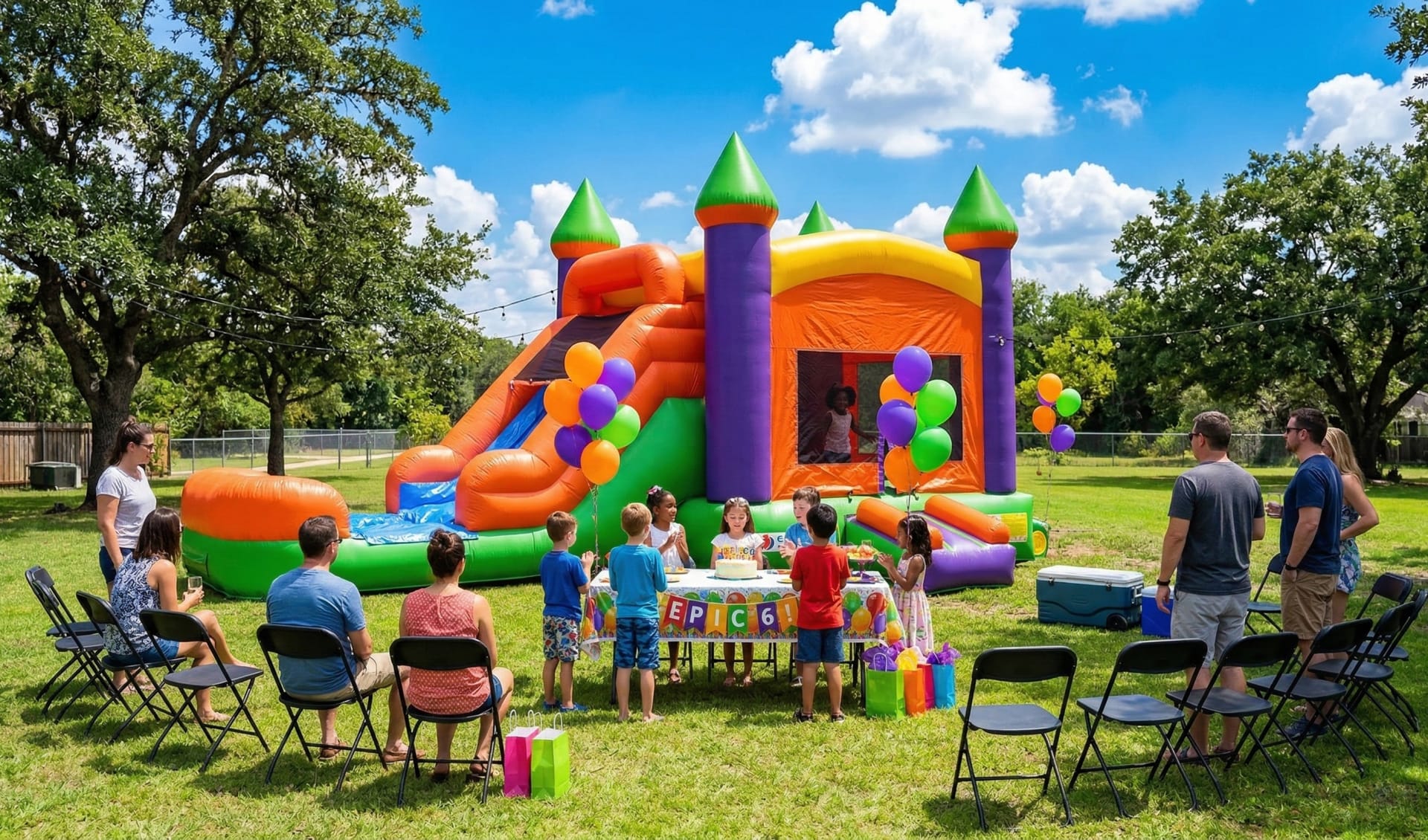
Bounce house rentals have a natural marketing advantage: the product is colorful, exciting, and easy to photograph. Use it deliberately, and pair it with safety proof, since parents are trusting you with their children's physical safety, not just their party budget.
Photograph full setups in real yards and venues, clean and well-maintained equipment, proper anchoring and stake or sandbag use, and delivery staff at work. Show cleaning and sanitizing practices between rentals. A short video of a unit set up and secured builds more trust than a stock-style product photo alone.
Organize galleries by category so a parent researching a princess-themed party sees that theme, and a school planning a fall festival sees larger event setups. Turn standout events—school carnivals, large birthday parties—into short case studies covering unit count, setup time, and how the event went.
Build a neighborhood referral and review loop
One great party can produce several more bookings from the same neighborhood or school community. Ask for a Google review shortly after pickup while the party memory is fresh. Make the request personal and easy, but never offer incentives for reviews or request them only from customers you expect to rate you well.
Build relationships with schools, churches, HOAs, and event planners who book repeatedly for fundraisers and community events. A simple repeat-customer discount or referral offer turns one relationship into a steady source of recurring bookings.
A consistent review process strengthens trust on Google and your website. Feature reviews next to the unit or event type they describe rather than grouping every testimonial on one generic page.
Use social media to show off the fun and the safety
Facebook and Instagram are effective for bounce house businesses because parents actively browse local parent groups and community pages for party vendor recommendations. Post real setup photos, new inventory announcements, seasonal availability updates, and short highlight clips from recent parties.
Every profile should link to a fast booking or quote page you control. Community groups are excellent for word-of-mouth style discovery, but the website and Google Business Profile should hold your durable inventory details, pricing, safety information, and booking path.
A focused social media strategy repurposes real party photos while your website and Google presence capture demand from parents already searching for a rental.
Add paid ads once your booking process is reliable
Paid search and social ads can put your inventory in front of parents planning a party, but they also expose a slow response process. Build a focused landing page for the advertised category and delivery area, match the ad message to the page, and track actual booked and paid rentals—not just clicks or form submissions.
Protect the budget with seasonal timing (spring and early fall peaks, holiday weekends), geographic targeting to your real delivery zones, and separate campaigns for birthday parties versus school and corporate events, since these buyers respond to different messaging and lead times.
Start with a small, controlled paid advertising test only after availability responses are fast, deposits and confirmations are handled consistently, and booked rentals can be traced back to the campaign.
Track bookings by category, season, and source
The useful question is not "did my page views go up?" It is "which marketing source produced confirmed, paid bookings?" Record the source, landing page, unit or package, request date, event date, delivery area, booked amount, and whether the booking closed. Review the numbers monthly, especially before peak spring and fall weekends.
Patterns guide the next decision. A page with traffic but few requests may need clearer availability messaging or stronger photos. Many requests outside your delivery zone may signal unclear service-area copy. Strong demand for one theme with thin inventory or content elsewhere shows where to invest next.
This visibility-to-booking approach applies across event and service businesses. See how a mobile bartender can book more private events and how a personal trainer can build a steady consultation pipeline.
A 30-day bounce house rental marketing plan
- Week 1: define your top categories, realistic delivery area, and booking response standard for busy weekends.
- Week 2: complete your Google Business Profile and build out your top category pages.
- Week 3: organize setup and safety proof by category, add event-specific reviews, and launch a short availability request form.
- Week 4: request reviews from recent customers, publish one community event story, and test the full request-to-booking follow-up.
Repeat what produces confirmed, paid bookings. Do not add another channel simply because it is popular if current requests are still being answered slowly or tracked poorly.
Research basis
This guide reflects recurring searches about getting bounce house rental customers and Google's current guidance for service-area businesses, accurate business representation, and the role a verified profile plays in helping customers find and contact local businesses.
Want more weekend bookings from families ready to reserve a date?
We can strengthen your local visibility, category pages, paid search, and booking process around the parties you want more of.
Explore Local SEOFrequently Asked Questions
How does a bounce house rental business get more bookings?
Build a complete Google Business Profile, create clear pages for each unit or package, show real setup and safety photos, earn detailed reviews, offer a fast online booking or quote request, and confirm delivery windows quickly. Add paid ads only once the request and booking process is reliable.
What should a bounce house rental website include?
Include clear inventory with sizes and themes, delivery and setup areas, safety and cleaning practices, insurance information when accurate, pricing or package structure, a simple date-availability request form, real photos, and useful FAQs.
Does local SEO work for bounce house rental companies?
Yes. Bounce house rentals are typically a local, service-area business booked around weekends and school breaks. An accurate Google Business Profile, unit and package pages, local reviews, and consistent business details help parents and event planners find and trust a provider nearby.
Should a bounce house company create a page for every unit or theme?
Creating pages for popular categories (character themes, water slides, obstacle courses, adult-size units, combo packages) usually works better than one page per individual unit, since it groups searches by what a parent is actually looking for.
What should a bounce house booking form ask?
Ask for name, phone or email, event date and time window, delivery address, surface type (grass, concrete, or indoor), guest ages, desired unit or theme, and any power or space constraints at the location. Confirm availability quickly since weekend dates fill fast.
Should bounce house companies show prices online?
Showing base rental prices or package ranges helps families self-qualify and reduces requests outside budget. Be clear about delivery fees, rental duration, overnight or multi-day options, and any surcharges for stairs, long carries, or generator power.
 Rank Forge Marketing